AI Manga Editor: The 2026 Guide to Fixing Pacing, Panels, and Dialogue
An AI manga editor gives actionable feedback on pacing, panel flow, and dialogue density so you can revise with confidence and publish faster.
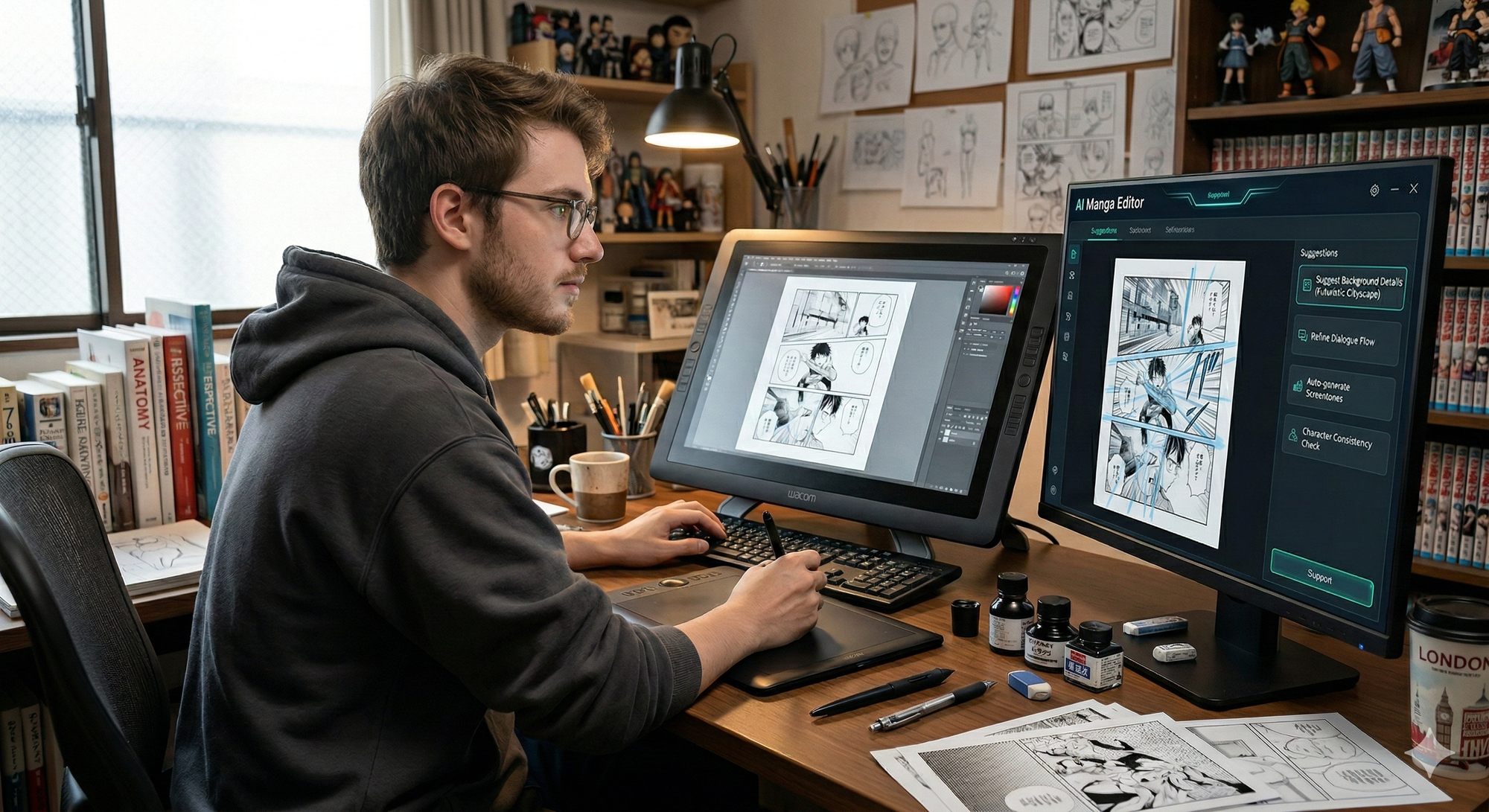
What is an AI manga editor?
An AI manga editor reviews your storyboard (name/ネーム) or finished pages and returns actionable editing notes: especially for pacing, panel flow (reading order / eye path), and dialogue density.
Image generators help you draw. An AI manga editor helps you revise.
▶ Try it from 1 page: Get a free M2W check
https://m2w.ai/
What you’ll learn in this guide
- What an AI manga editor can actually fix (and what it can’t)
- The 3 biggest readability + pacing issues that cause drop-offs
- A fast workflow from storyboard → publish
- A 10-signal checklist you can reuse every chapter
Table of contents
- AI manga editor vs. image generator
- The 3 biggest problems AI editors can fix
- How an AI manga editor works
- The 10-signal checklist
- A fast workflow (storyboard → publish)
- AI editor vs human editor
- Common mistakes + quick fixes
- How to choose a tool
- FAQ
AI manga editor vs. image generator
Image generator: creates art
- Generates new drawings, backgrounds, assets, etc.
AI manga editor: improves what you already have
- Pacing: rushed or stalled beats
- Panel flow: confusing reading order / eye path
- Eye-path clarity: where readers hesitate or jump
- Dialogue density: text overload, balloon placement, readability
Even with great art, readers drop when pacing + readability break. That’s what editing fixes.
The 3 biggest problems AI editors can fix
1) “Something feels off” pacing → turned into concrete edits
Creators often can’t see pacing issues because they know the story too well. AI can flag pages where:
- key moments are crammed (too fast)
- intensity is flat (same beat strength repeated)
- the “moment” doesn’t get enough visual time
Quick fix: give big beats more space: fewer words, cleaner staging, larger panels.
2) Panel flow that makes readers hesitate
If a reader has to think about where to look next, immersion breaks. AI editors can highlight:
- unclear left/right transitions
- compositions that don’t lead into the next panel
- elements (lines, backgrounds, tangents) that pull the eye away
Quick fix: build an “eye-path bridge” (character gaze, gesture, balloon order, composition).
3) Dialogue density that kills momentum
Lettering is where pacing often dies:
- balloons cover acting (faces/hands)
- text per panel is too high
- line breaks feel unnatural and slow the scan
Quick fix: cut one line and replace it with visual acting or a reaction beat.
▶ Want to test your own pages? Free M2W check
https://m2w.ai/
How an AI manga editor works
Inputs
Upload:
- storyboard/name (images/PDF)
- finished pages (images/PDF)
- script/dialogue (optional)
Analysis (common signals)
- panel count + density (pacing proxy)
- bubble count + text-area ratio (dialogue load)
- layout cues (eye path / reading order risk)
- repeated compositions (visual monotony)
Output (what matters)
- a prioritized punch list (fix these first)
- panel-by-panel notes (where + why)
- fast edit suggestions you can apply in 10–30 minutes
The 10-signal checklist
Use this checklist to edit faster (and to judge whether a tool is any good).
Story signals
- First-page hook clarity (can a new reader summarize the premise?)
- Goal + obstacle (what does the character want and what blocks them?)
- Beat progression (do beats escalate or evolve—not repeat?)
Page design signals
- Reading path certainty (no guessing panel-to-panel)
- One focal point per panel (clear “main thing” instantly)
- Shot variety by intent (wide → medium → close for intensity control)
Dialogue + lettering signals
- Text-to-art balance (words support acting, don’t replace it)
- Balloon placement guides the eye (not fights composition)
- Line breaks match speech rhythm
- Consistency (font, SFX style, balloon rules feel unified)
A fast workflow (storyboard → publish)
Step 1: Storyboard/name pass (highest leverage)
Goal: fix structure before you polish art.
- run the storyboard through an AI editor
- apply only the top 3 fixes (don’t boil the ocean)
- shorten long dialogue by splitting beats or converting to acting
Step 2: Line art + lettering pass (reduce friction)
Goal: remove hesitation.
- re-check eye path with final compositions
- reposition balloons so acting stays visible
- reduce text overload on heavy panels
Step 3: Format pass (manga pages vs webtoon)
- Manga pages: page turns, “hold” vs “impact” beats
- Webtoon: scroll pacing, spacing, micro-cliffhangers
If you translate, remember: English often expands—plan balloon space early.
AI editor vs human editor
Where AI is great
- consistent detection of density + repetition issues
- finding patterns you stopped noticing
- fast first-pass review at scale
Where human editor still win
- voice, subtext, cultural nuance, comedic timing
- bold story calls (what to cut / what to change / what to risk)
Best workflow: AI finds issues fast → you decide what matters.
Common mistakes + quick fixes
Mistake: “I’ll fix pacing later”
Fix: fix pacing in storyboard/name. It’s the cheapest stage.
Mistake: too many equal-intensity panels
Fix: choose 1–2 “moment” panels and simplify the rest.
Mistake: dialogue does the acting
Fix: delete one line and add a reaction beat or staging clarity.
Mistake: unclear spatial staging
Fix: add one establishing panel or repeat a landmark.
How to choose a tool
Before you commit, ask:
1) Does it support your format + reading direction?
- right-to-left manga pages
- left-to-right comics
- vertical webtoon
2) Does it give panel-level feedback (not generic advice)?
You want: “Panel 4 is overloaded because…” not “Improve pacing.”
3) What’s the privacy + rights policy?
- can you delete uploads?
- is your work used for training?
- can you export your report?
FAQ
Is an AI manga editor good for beginners?
Yes—because it turns vague problems into concrete actions (reduce balloons, clarify focal point, fix eye path).
Will AI replace manga editors?
It will replace parts (first-pass checks, triage), but humans still lead on taste, voice, and story risk.
What should I upload first: storyboard or finished pages?
Start with storyboard/name. It’s cheaper to change structure early.
Next steps
- Pick one chapter (storyboard or final)
- Run a first-pass review and apply only the top 3 fixes
- Do a lettering pass to reduce dialogue overload
- Publish → collect reader feedback → iterate
Hope you can improve with this blog! Best of luck!
▶ Start with 1 page: Free M2W check
https://m2w.ai/